English
 عربى
عربى
 Español
News

Content
A regular gaming chair is a specialized seating solution designed for extended gaming sessions and computer use, combining ergonomic support with gaming-oriented aesthetics and features. Unlike premium racing-style gaming chairs or high-end executive chairs, regular gaming chairs offer essential comfort and functionality at accessible price points, typically ranging from $150 to $400.
These chairs incorporate key ergonomic elements including lumbar support, adjustable armrests, reclining backrests, and height adjustment mechanisms. The design balances affordability with practical features that support proper posture during long gaming or work sessions. Regular gaming chairs serve both casual and dedicated gamers who need reliable seating without the premium price tag of high-end models, while still providing significant improvements over standard office chairs or dining chairs.
Lumbar support represents one of the most critical features in regular gaming chairs, addressing lower back strain common during extended sitting. Most regular gaming chairs include removable lumbar cushions that users can position according to their specific back curvature and comfort preferences. Some models incorporate built-in lumbar support mechanisms with adjustable depth or height, though these are less common in the regular category compared to premium chairs.
Neck and head support comes through integrated headrest cushions or pillows that help maintain proper cervical spine alignment. These cushions typically attach via elastic straps and can be adjusted vertically to accommodate different user heights. The headrest becomes particularly important during reclined positions when watching content or taking breaks between gaming sessions.
Regular gaming chairs utilize steel frame construction for the internal structure, providing necessary strength to support users typically up to 250-300 pounds. The frame quality distinguishes better regular gaming chairs from budget alternatives, with thicker gauge steel and reinforced stress points contributing to longevity. The base is commonly constructed from nylon or reinforced plastic with five-spoke design for stability, though some models upgrade to aluminum bases for enhanced durability.
Wheel casters are typically 2-3 inch diameter nylon or polyurethane units designed for smooth rolling on various floor surfaces. Better regular gaming chairs include casters appropriate for hardwood floors or carpet, with some offering interchangeable options. The gas lift cylinder should be Class 4 certified, indicating it meets safety standards for pressure resistance and won't unexpectedly lower or fail during normal use.
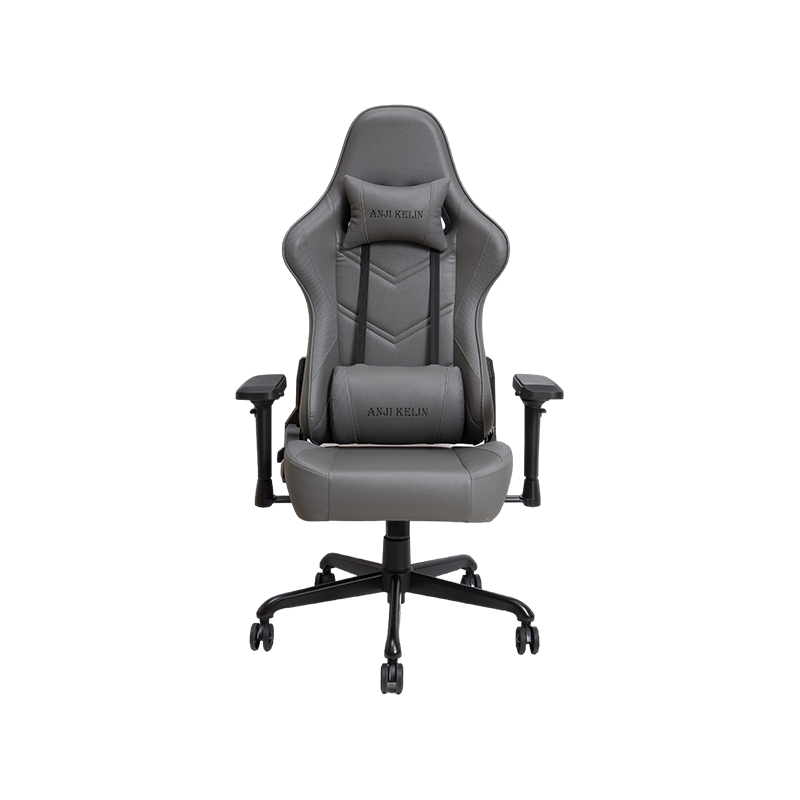
Polyurethane (PU) leather dominates regular gaming chair upholstery due to its balance of appearance, durability, and cost-effectiveness. PU leather provides a sleek aesthetic similar to genuine leather while remaining easy to clean and maintain. The material resists minor spills and stains, requiring only simple wiping with a damp cloth for routine cleaning. Modern PU leather formulations have improved breathability compared to earlier versions, though they still retain more heat than fabric alternatives.
Quality variations in PU leather significantly impact longevity and comfort. Higher-grade PU leather features better tear resistance, softer texture, and longer-lasting appearance before showing wear signs like peeling or cracking. Lower-quality PU may begin deteriorating within 1-2 years, while good-quality material can last 3-5 years with proper care. The seam quality and stitching also affect durability, with double-stitched seams providing better resistance to separation.
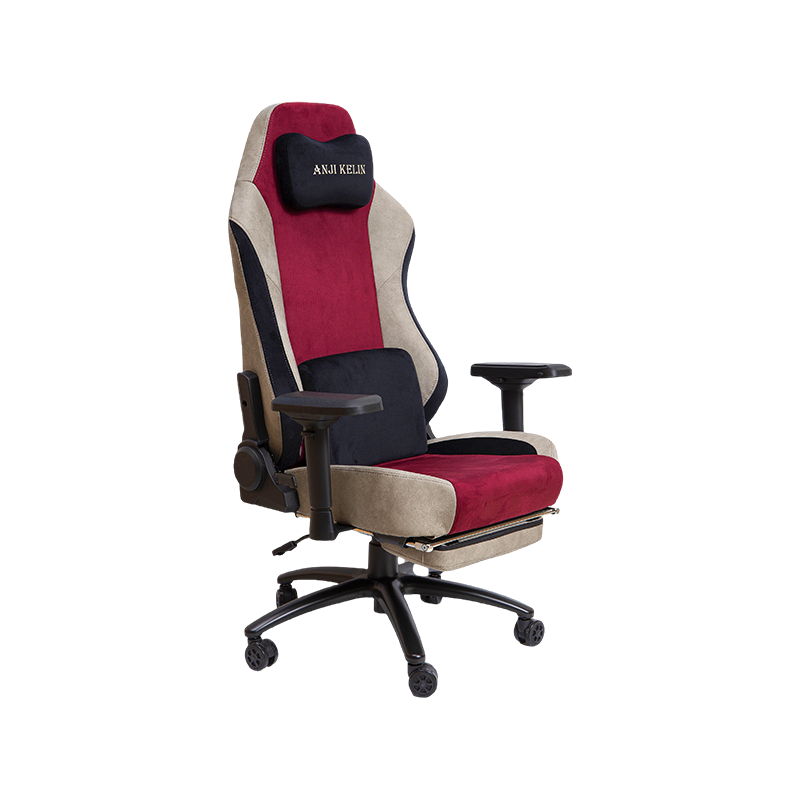
Fabric upholstery appears increasingly in regular gaming chairs as an alternative addressing breathability concerns with PU leather. Common fabrics include polyester blends, mesh, and specialized gaming fabrics designed for durability and comfort. Fabric chairs excel in hot climates or for users who experience excessive sweating during gaming, as the material allows better air circulation and heat dissipation.
The trade-off with fabric involves maintenance complexity, as spills and stains penetrate the material more readily than with PU leather. Regular vacuuming and occasional deep cleaning become necessary to maintain appearance and hygiene. Fabric durability depends on weave density and fiber quality, with tighter weaves resisting pilling and wear better than looser constructions. Quality fabric chairs can last as long as PU leather equivalents when properly maintained.
Foam density directly impacts long-term comfort and chair longevity, with regular gaming chairs typically using cold-cure foam ranging from 1.8 to 2.5 pounds per cubic foot density. Higher density foam maintains its shape and support characteristics longer, resisting the compression and sagging that occurs with extended use. Chairs with inadequate foam density may feel comfortable initially but quickly develop uncomfortable flat spots where the user sits most frequently.
Multi-layer foam construction provides superior comfort by combining different densities for optimal support and surface comfort. A typical configuration uses firmer high-density foam as the base layer for structural support, topped with softer foam for immediate comfort. Some regular gaming chairs incorporate memory foam in strategic areas like the seat cushion or lumbar support, providing conforming support that adapts to individual body contours.
Achieving healthy sitting posture requires the gaming chair to support the natural S-curve of the spine while maintaining specific body angles. The seat height should allow feet to rest flat on the floor with knees bent at approximately 90 degrees. Thighs should be parallel to the floor or slightly angled downward, avoiding pressure on the underside of the thighs that restricts circulation. The backrest should support the entire back from the lumbar region through the shoulders, maintaining the spine's natural curvature.
Armrest positioning significantly affects shoulder and neck comfort, with proper height allowing arms to rest comfortably while maintaining relaxed shoulders. Armrests set too high force shoulders upward creating tension, while overly low armrests provide inadequate support leading to slouching. The distance from the backrest to the front edge of the seat (seat depth) should accommodate the user's leg length, leaving 2-4 inches of space between the seat edge and the back of the knees to avoid circulation restriction.
| Posture Issue | Cause | Solution |
| Lower Back Pain | Insufficient lumbar support | Adjust lumbar cushion position or add additional support |
| Neck Strain | Monitor too low or headrest misaligned | Adjust headrest height and monitor position |
| Shoulder Tension | Armrests too high or too far apart | Lower armrests to allow relaxed shoulder position |
| Leg Numbness | Seat edge pressure on thighs | Adjust seat height or use footrest if legs too short |
| Slouching | Backrest recline too far back | Lock backrest at 90-100 degree angle for active use |
Even the best gaming chair cannot eliminate health risks associated with prolonged sitting. Medical research recommends standing and moving at least once every hour to promote circulation, reduce muscle stiffness, and decrease cardiovascular risks. Gaming chair users should implement the 20-20-20 rule: every 20 minutes, look at something 20 feet away for 20 seconds to reduce eye strain, and incorporate brief stretches or position changes.
Simple desk exercises and stretches can be performed without leaving the gaming setup, including shoulder rolls, neck rotations, and seated spinal twists. More active breaks involving standing, walking, or light exercise provide greater health benefits and can actually improve gaming performance by increasing alertness and reducing fatigue. Setting timers or using software reminders helps establish consistent break habits that become automatic over time.
Matching chair size to user dimensions ensures optimal comfort and safety. Regular gaming chairs generally accommodate users from 5'4" to 6'2" in height, though specific models vary in their ideal user range. Taller users should verify backrest height to ensure adequate upper back and head support, while shorter users need to confirm their feet can reach the floor even at minimum seat height or plan to use a footrest.
Weight capacity ratings indicate the maximum safe load but selecting a chair rated significantly above actual user weight provides better longevity and comfort. A 200-pound user benefits from choosing a chair rated for 300 pounds, as the components experience less stress and wear. Seat width is another critical dimension, with regular gaming chairs typically offering 19-21 inches of seating width. Users should ensure at least 2 inches of clearance on each side for comfortable seating without feeling constrained by the side bolsters.
The regular gaming chair market spans a wide price range, with different price tiers offering distinct feature sets and quality levels. Entry-level chairs ($150-$200) provide basic ergonomic features with fixed or 1D armrests, standard foam density, and basic upholstery. These serve casual gamers or those on tight budgets but may require replacement sooner due to lower-quality components.
Mid-range options ($200-$300) represent the sweet spot for most users, offering 2D or 3D armrests, better foam quality, improved upholstery materials, and more robust construction. These chairs balance affordability with features that support extended use and typically last 3-5 years with proper care. Upper regular tier chairs ($300-$400) approach premium territory with 4D armrests, memory foam, superior materials, and sometimes limited warranty coverage, suitable for serious gamers or those spending many hours daily in the chair.
Researching manufacturer reputation and customer reviews provides valuable insight into real-world performance and reliability. Established gaming chair brands typically offer better quality control, customer service, and warranty support compared to generic manufacturers. Reading verified purchase reviews on multiple platforms helps identify common issues or standout features for specific models.
Pay particular attention to reviews from users with similar body types and use patterns, as comfort is subjective and varies based on individual needs. Long-term reviews (6+ months after purchase) reveal durability issues that may not be apparent in initial impressions. Common complaints about specific models often indicate systemic problems worth avoiding, while consistent praise for particular features suggests genuine quality advantages.
Gaming chairs arrive in compact boxes with components requiring assembly, typically including the seat base, backrest, armrests, base, gas lift cylinder, casters, and hardware. Upon opening the package, verify all components against the parts list in the instruction manual before beginning assembly. Missing or damaged parts should be reported to the seller immediately for replacement, as attempting assembly with incomplete hardware can damage components or create safety hazards.
Organize hardware into groups by type and have appropriate tools ready before starting assembly. Most regular gaming chairs require only the included Allen wrench or hex key, though having a Phillips screwdriver available proves helpful. Laying out all components in the assembly sequence and reading through the entire instruction manual before beginning prevents mistakes and speeds the process.
After assembly, spend time properly adjusting the chair to your body dimensions and preferences. Start with seat height, adjusting so feet rest flat on the floor with knees at 90 degrees. Position the lumbar cushion at the small of your back where the spine naturally curves inward, experimenting with height until finding the most supportive position. The headrest should support the natural curve of your neck without pushing your head forward.
Adjust armrests so your arms rest comfortably with shoulders relaxed and elbows at approximately 90 degrees when hands are on the keyboard or controller. Set the backrest recline angle appropriate for your activity, typically 90-100 degrees for active gaming and 110-130 degrees for relaxed viewing. Fine-tune the tilt tension to your preference, allowing gentle rocking if desired or locking the mechanism for a more stable feel. These adjustments may require refinement over the first few days of use as you become familiar with the chair's characteristics.
PU leather chairs require weekly cleaning with a soft damp cloth to remove dust, oils, and general grime that accumulate from daily use. For deeper cleaning, use mild soap diluted in water, wiping gently without saturating the material. Avoid harsh chemicals, bleach, or abrasive cleaners that can damage the PU coating and cause premature deterioration. After cleaning, dry the surface thoroughly with a clean cloth to prevent water spots or moisture damage.
Fabric chairs benefit from regular vacuuming using an upholstery attachment to remove dust and debris before it embeds in the weave. Treat spills immediately by blotting (not rubbing) with a clean cloth to absorb liquid before it penetrates deeply. For stubborn stains, use upholstery cleaner specifically formulated for the fabric type, testing in an inconspicuous area first to ensure color-fastness. Allow fabric to dry completely before use to prevent mildew growth.
Periodically inspect and tighten all bolts and screws, as regular use can cause fasteners to loosen over time. Check armrest connections, backrest mounting points, and base attachments every 3-6 months, tightening as needed with the appropriate tools. Lubricate moving parts like the recline mechanism and tilt function annually using silicone-based lubricant to maintain smooth operation and prevent squeaking.
Clean caster wheels regularly by removing hair, carpet fibers, and debris that wrap around the axles and impede smooth rolling. Some casters can be pulled from the base for thorough cleaning, while others require removal of accumulated debris using tweezers or a small tool. Replace worn or damaged casters promptly to prevent floor damage and maintain proper chair mobility.
Gas lift cylinders occasionally fail, either gradually losing height adjustment capability or suddenly dropping to the lowest position. Gradual height loss typically indicates seal deterioration allowing compressed gas to escape slowly. This issue requires gas lift replacement, as repairs are not practical for sealed cylinders. Sudden complete failure is less common but can occur if the cylinder is damaged or defective.
Replacing a gas lift cylinder is straightforward but requires separating the seat from the base. Remove the seat assembly from the old cylinder by pulling upward firmly or using a rubber mallet to tap the seat mechanism off the cylinder. Install the new cylinder by inserting it into the base and mounting the seat assembly on top. Replacement cylinders are available from chair manufacturers or third-party suppliers, with Class 4 certification ensuring safety and quality.
Squeaking noises typically originate from friction between moving parts in the recline mechanism, tilt function, or gas lift cylinder. Identify the source by isolating each function and testing while listening for the noise. Apply silicone-based lubricant to the mechanism producing the squeak, working the mechanism through its full range of motion to distribute lubricant evenly. Avoid petroleum-based lubricants that can degrade plastic components.
Persistent squeaking may indicate loose bolts allowing components to shift and rub during use. Systematically tighten all accessible bolts and screws, particularly around the area producing noise. If squeaking persists after lubrication and tightening, the mechanism may have worn components requiring replacement or professional service.
PU leather peeling or cracking typically occurs after 2-4 years of use, accelerated by heat exposure, direct sunlight, or low-quality material. Minor damage can be addressed with leather repair kits that fill cracks and match colors, though results vary based on damage extent. Significant peeling may warrant reupholstery with new PU leather or fabric, which can be done professionally or as a DIY project for those with appropriate skills.
Fabric pilling, tears, or permanent stains may require patching or professional cleaning. Small tears can be repaired with fabric glue or patches to prevent expansion. For valuable chairs with extensive upholstery damage, professional reupholstery services can completely restore appearance and extend usable life significantly, though costs must be weighed against replacement options.
Traditional office chairs and gaming chairs serve similar functions but emphasize different features. Office chairs typically prioritize understated professional aesthetics, breathable mesh materials, and features like synchronized tilt mechanisms. Gaming chairs focus on bold styling, racing-inspired design, and features like higher recline angles suitable for entertainment use beyond work tasks. Both can provide excellent ergonomic support when properly configured.
Price comparisons show overlap between regular gaming chairs and mid-range office chairs, though office chairs at similar price points often use higher-quality mechanisms and materials while sacrificing the adjustable lumbar cushions and dramatic styling of gaming chairs. Users primarily engaged in productive work might prefer office chairs, while those splitting time between gaming and work often appreciate gaming chair versatility and comfort during extended entertainment sessions.
Bean bag gaming chairs and floor rockers appeal to console gamers and those preferring casual seating arrangements. These alternatives offer comfort and relaxed positioning but lack the ergonomic support and adjustability of traditional gaming chairs. Extended use of bean bags can lead to poor posture and back strain due to insufficient lumbar support and inability to maintain healthy sitting positions.
Floor chairs with back support provide better ergonomics than bean bags while maintaining the low seating position preferred by some gamers. However, they still cannot match the adjustability and support of elevated gaming chairs. The best choice depends on gaming platform, session duration, and individual comfort preferences, with many gamers maintaining both a proper gaming chair for extended sessions and alternative seating for casual play.
The gaming chair industry faces growing scrutiny regarding environmental impact and sustainability practices. Traditional gaming chairs rely heavily on petroleum-based materials including PU leather, foam cushioning, and plastic components, creating environmental concerns throughout the product lifecycle from manufacturing through disposal. Some manufacturers are beginning to address these issues through recycled materials, reduced packaging, and improved manufacturing processes.
End-of-life disposal presents challenges as gaming chairs combine multiple materials difficult to separate for recycling. Metal frames can be recycled if removed from upholstery and plastic components, but this requires disassembly effort many users won't undertake. Some municipalities accept gaming chairs through bulk waste collection or special recycling programs, though many chairs ultimately end in landfills. Extending chair lifespan through proper maintenance and repair represents the most environmentally responsible approach, reducing the frequency of disposal and replacement.
Consumers concerned about sustainability can prioritize manufacturers demonstrating environmental responsibility through certifications, transparent supply chains, and product stewardship programs. Choosing durable chairs with replaceable components and good warranty support encourages longer product life. When replacement becomes necessary, exploring donation or resale options through local charities, online marketplaces, or gaming communities gives chairs second lives and reduces environmental impact compared to disposal.

Chairs
Gaming Chair Office Chair High-end Luxury Gaming Chair Regular Gaming Chair Mesh Office Chair PU Leather Office Chair Fabric Office ChairContact Us